

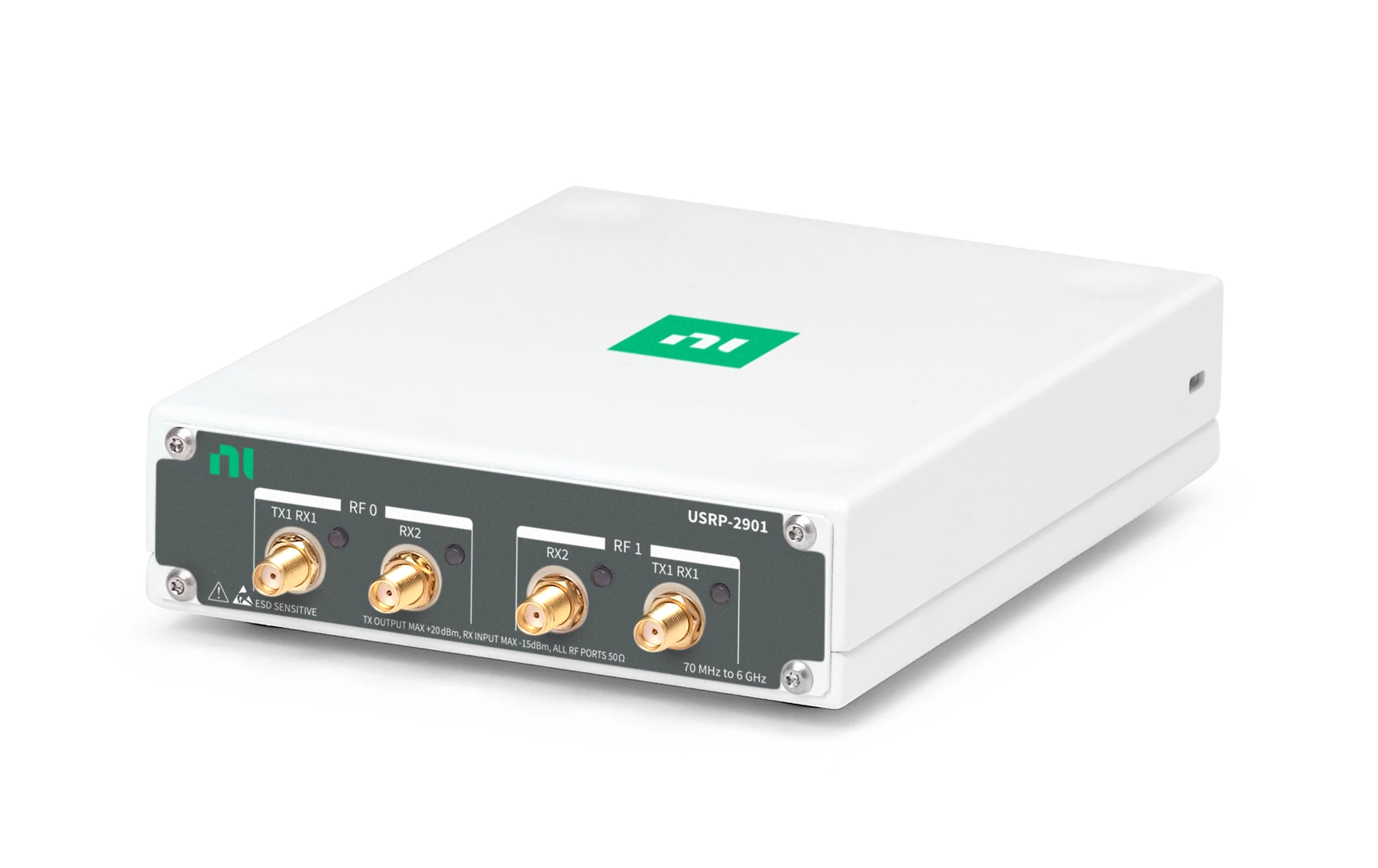
This guide covers connecting USRP 2901 SDRs to a RemoteRF server or host over USB. Support is included in the built-in usrp schema.
Overview
RemoteRF supports the USRP 2901 through the built-in usrp schema, which also covers other UHD B200-family and N210 radios. Setting profile: usrp2901 in devices.yml binds the entry to a specific USRP 2901 by USB serial number.
The Linux machine physically connected to the radio needs:
- UHD
4.10.0.0(Python API and command-line utilities) installed in theremoterf-serverorremoterf-hostenvironment. - A direct USB connection to the USRP 2901 (USB 3 is recommended for higher sample rates or two-channel MIMO streaming; USB 2 works for lower sample rates).
- Non-root USB permissions so
uhd_find_devicesanduhd_usrp_probesucceed withoutsudo. - A
devices.ymlentry withdevice_type: usrpandprofile: usrp2901.
Note: If ~/.config/remoterf/drivers/ contains a custom schema registered as usrp, that file overrides the built-in USRP driver. Remove it unless you intend to use a custom schema.
Install and Detect
1. Install UHD 4.10.0.0
RemoteRF requires UHD Python API version 4.10.0.0 on the machine that owns the USRP; other UHD versions are rejected when a session opens. Install the pinned package from conda-forge into the Conda environment used to run serverrf or hostrf, then download the UHD FPGA and firmware images:
conda activate YOUR_REMOTERF_ENV
conda install -y -c conda-forge "uhd=4.10.0.0"
uhd_images_downloader
Verify the installed UHD version in that environment:
python - <<'PY'
import uhd
print(uhd.get_version_string())
PY
The version string should resolve to 4.10.0.0. Distribution apt packages often ship older UHD versions, and the PyPI uhd wheels target Windows, so conda-forge (or building UHD v4.10.0.0 from source) is recommended on Linux.
2. Verify USB Detection
Connect the USRP 2901 over USB and confirm that UHD can find and probe it without sudo:
uhd_find_devices --args "type=b200"
uhd_usrp_probe --args "type=b200,serial=YOUR_SERIAL"
Copy the serial value reported by uhd_find_devices for use in devices.yml.
3. Fix USB Permissions (If Needed)
If UHD only detects the USRP when run with sudo, install the udev rules from your UHD 4.10 installation, reload udevadm, and reconnect the USB cable:
sudo udevadm control --reload-rules
sudo udevadm trigger
If your Linux distribution updated your user’s group membership, sign out and sign back in, then rerun both discovery commands without sudo.
Device Configuration
Add each USRP 2901 to ~/.config/remoterf/devices.yml on the main server (or ~/.config/remoterf/host/devices.yml on a RemoteRF host):
devices:
  - device_id: 7
    device_type: usrp
    name: USRP 2901 A
    init:
      profile: usrp2901
      type: b200
      serial: "31A2B3C"

  - device_id: 8
    device_type: usrp
    name: USRP 2901 B
    init:
      profile: usrp2901
      type: b200
      serial: "32A0D07"
You can also add an entry from the command line (using the interactive wizard or non-interactive flags):
# Interactive guided wizard on the server:
serverrf devices add usrp-2901

# Or non-interactively on the main server:
serverrf devices add usrp-2901 "USRP 2901 A" --serial 31A2B3C --id 7
serverrf devices list

# Or on a RemoteRF host:
hostrf --device --add --usrp-2901 "7:USRP 2901 A:31A2B3C"
Ensure device_type is usrp, init.profile is usrp2901, and init.serial matches the serial reported by UHD. RemoteRF opens the physical radio with type=b200,serial=... when an authenticated client opens a session.
Verification
Restart serverrf -s (or hostrf -s, checking hostrf --device --show on the host) after editing devices.yml and run devices list in the server shell to confirm the USRP 2901 entry is loaded.
Then reserve the USRP from a client machine and open a session in Python:
from remoterf.drivers import ensure_driver

token = "USRP_00@ucla"
ensure_driver(token=token)

from remoterf.drivers.usrp import uhd

with uhd.usrp.MultiUSRP(token=token) as usrp:
    print(usrp.get_pp_string())
If opening the session fails, rerun uhd_usrp_probe under the Linux account running RemoteRF and confirm no other process holds the USB device.
Next Steps
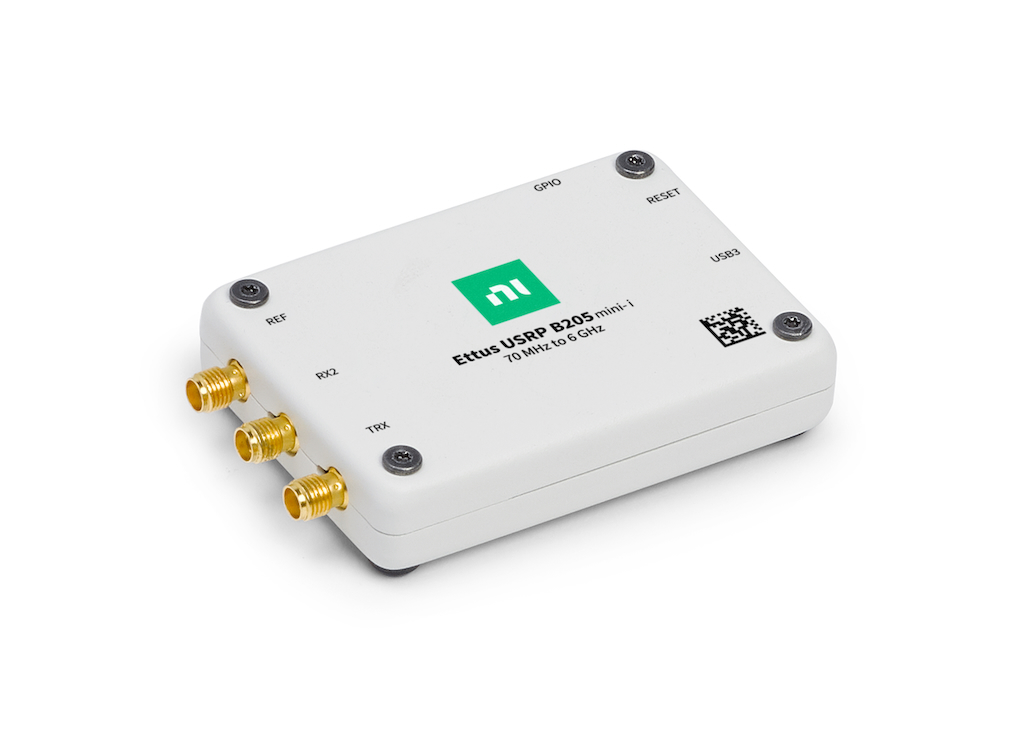
This guide covers connecting a USRP B205-mini to a RemoteRF server or host over USB 3. Support is included in the built-in usrp schema.
Overview
RemoteRF supports the USRP B205-mini through the built-in usrp schema, which it shares with the USRP 2901 and USRP N210. Setting profile: b205mini in devices.yml binds the entry to a specific B205-mini by USB serial number and keeps it distinct from other B200-family radios on the same machine.
The Linux machine physically connected to the radio needs:
- UHD
4.10.0.0(Python API and command-line utilities) installed in theremoterf-serverorremoterf-hostenvironment. - A direct USB 3 connection to the B205-mini.
- Non-root USB permissions so
uhd_find_devicesanduhd_usrp_probesucceed withoutsudo. - A
devices.ymlentry withdevice_type: usrpandprofile: b205mini.
Note: If ~/.config/remoterf/drivers/ contains a custom schema registered as usrp, that file overrides the built-in USRP driver. Remove it unless you intend to use a custom schema.
Install and Detect
1. Install UHD 4.10.0.0
RemoteRF requires UHD Python API version 4.10.0.0 on the machine that owns the radio. Install the pinned package from conda-forge into the same Conda environment used to run serverrf or hostrf, then download the UHD FPGA and firmware images:
conda activate YOUR_REMOTERF_ENV
conda install -y -c conda-forge "uhd=4.10.0.0"
uhd_images_downloader
Confirm that the active Python environment loads UHD 4.10.0.0:
python - <<'PY'
import uhd
print(uhd.get_version_string())
PY
2. Verify USB Detection
Connect the B205-mini to a USB 3 port and verify that UHD can discover and probe the radio without sudo:
uhd_find_devices --args "type=b200"
uhd_usrp_probe --args "type=b200,serial=YOUR_SERIAL"
uhd_find_devices should report a B205mini or B205i device at USB speed 3 along with its serial string. uhd_usrp_probe should complete its register loopback check. Copy the serial value for devices.yml.
3. Fix USB Permissions (If Needed)
If UHD only detects the radio when run with sudo, install the udev rules from your UHD 4.10 installation, reload udevadm, and reconnect the USB cable:
sudo udevadm control --reload-rules
sudo udevadm trigger
If your Linux distribution updated your user’s group membership (usrp or plugdev), sign out and sign back in, then rerun uhd_find_devices and uhd_usrp_probe without sudo.
Device Configuration
Add the B205-mini to ~/.config/remoterf/devices.yml on the main server (or ~/.config/remoterf/host/devices.yml on a RemoteRF host):
devices:
  - device_id: 9
    device_type: usrp
    name: USRP B205-mini
    init:
      profile: b205mini
      type: b200
      serial: "31E9F48"
You can also add the entry from the command line (using the interactive wizard or non-interactive flags):
# Interactive guided wizard on the server:
serverrf devices add usrp-b205-mini

# Or non-interactively on the main server:
serverrf devices add usrp-b205-mini "USRP B205-mini" --serial 31E9F48 --id 9
serverrf devices list

# Or on a RemoteRF host:
hostrf --device --add --usrp-b205-mini "9:USRP B205-mini:31E9F48"
Ensure device_type is usrp, init.profile is b205mini, and init.serial matches the serial reported by UHD. RemoteRF opens the hardware with type=b200,serial=... when an authenticated client starts a session.
Verification
Restart serverrf -s (or hostrf -s, checking hostrf --device --show on the host) after updating devices.yml and run devices list in the server shell to confirm the B205-mini appears in the inventory.
Next, reserve the device from a client machine and verify that it opens over RemoteRF:
from remoterf.drivers import ensure_driver

token = "USRP_00@ucla"
ensure_driver(token=token)

from remoterf.drivers.usrp import uhd

with uhd.usrp.MultiUSRP(token=token) as usrp:
    print(usrp.get_pp_string())
    print(usrp.get_rx_freq_range(0))
Next Steps
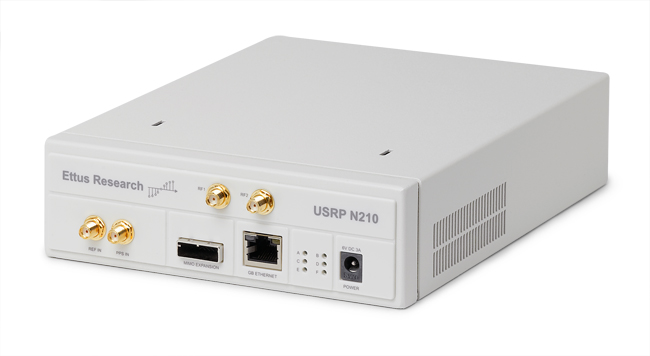
This guide covers connecting a USRP N210 to a RemoteRF server or host over a dedicated Gigabit Ethernet link. Support is included in the built-in usrp schema.
Overview
RemoteRF supports the USRP N210 through the built-in usrp schema and exposes the same uhd.usrp.MultiUSRP client interface used by USB USRPs. On the server side, the n210 profile constrains the physical connection to type=usrp2,addr=... over Gigabit Ethernet.
The Linux machine physically connected to the N210 needs:
- UHD
4.10.0.0(Python API and command-line utilities) installed in theremoterf-serverorremoterf-hostenvironment. - A dedicated Gigabit Ethernet interface connected to the N210 and configured with a static IP in the same
/24subnet. - Working discovery and probing via
uhd_find_devicesanduhd_usrp_probewithoutsudo. - A
devices.ymlentry withdevice_type: usrp,profile: n210,type: usrp2, and the radio’s IPv4 address.
Install UHD
Install UHD 4.10.0.0 and its Python bindings in the Conda environment used to run serverrf or hostrf, then download the UHD FPGA and firmware images:
conda activate YOUR_REMOTERF_ENV
conda install -y -c conda-forge "uhd=4.10.0.0"
uhd_images_downloader

python - <<'PY'
import uhd
print(uhd.get_version_string())
PY
Confirm that uhd.get_version_string() reports 4.10.0.0.
Configure Ethernet
1. Identify the N210 IP Address
Check the IPv4 address labeled on the N210 enclosure or previously programmed into its EEPROM (the factory default on most units is 192.168.10.2; the example below uses 192.168.137.21). See the USRP2 and N2x0 networking manual if you need to recover or change the device IP address.
2. Assign a Static IP on the Host Interface
Connect the N210 to a dedicated Gigabit Ethernet interface on the Linux machine and assign that interface an unused static IP in the same subnet (do not assign the N210’s own IP to the Linux interface):
ip -brief link

sudo ip link set YOUR_N210_INTERFACE up
sudo ip address replace 192.168.137.1/24 dev YOUR_N210_INTERFACE
ip -brief address show dev YOUR_N210_INTERFACE
ping -c 3 192.168.137.21
Once ping succeeds, save the static IP configuration in Netplan or NetworkManager so it persists across reboots.
3. Verify UHD Discovery
Probe the N210 by IP address without sudo:
uhd_find_devices --args "type=usrp2,addr=192.168.137.21"
uhd_usrp_probe --args "type=usrp2,addr=192.168.137.21"
uhd_usrp_probe should print the N210 motherboard, FPGA/firmware versions, daughterboard, and channel details.
4. Increase UDP Socket Buffers (Recommended)
Larger kernel socket buffers prevent UDP packet loss during high-rate Ethernet streaming:
sudo sysctl -w net.core.rmem_max=50000000
sudo sysctl -w net.core.wmem_max=2500000
To make these values persistent across reboots, add net.core.rmem_max=50000000 and net.core.wmem_max=2500000 to a file under /etc/sysctl.d/.
Device Configuration
Add the N210 to ~/.config/remoterf/devices.yml on the main server (or ~/.config/remoterf/host/devices.yml on a RemoteRF host):
devices:
  - device_id: 8
    device_type: usrp
    name: USRP N210
    init:
      profile: n210
      type: usrp2
      addr: "192.168.137.21"
You can also add the entry from the command line (using the interactive wizard or non-interactive flags):
# Interactive guided wizard on the server:
serverrf devices add usrp-n210

# Or non-interactively on the main server:
serverrf devices add usrp-n210 "USRP N210" --addr 192.168.137.21 --id 8
serverrf devices list

# Or on a RemoteRF host:
hostrf --device --add --usrp-n210 "8:USRP N210:192.168.137.21"
Important: Always use usrp-n210 (or profile: n210 and type: usrp2) for an N210. Do not use the serial-bound usrp-2901 type, which configures a USB b200 device.
Verification
Restart serverrf -s (or hostrf -s, checking hostrf --device --show on the host) after updating devices.yml and run devices list in the server shell to confirm the N210 appears in the inventory.
Next, reserve the N210 from a client machine and test the connection:
from remoterf.drivers import ensure_driver

token = "USRP_00@ucla"
ensure_driver(token=token)

from remoterf.drivers.usrp import uhd

with uhd.usrp.MultiUSRP(token=token) as usrp:
    print(usrp.get_pp_string())
    print(usrp.get_rx_freq_range(0))