
User Guide
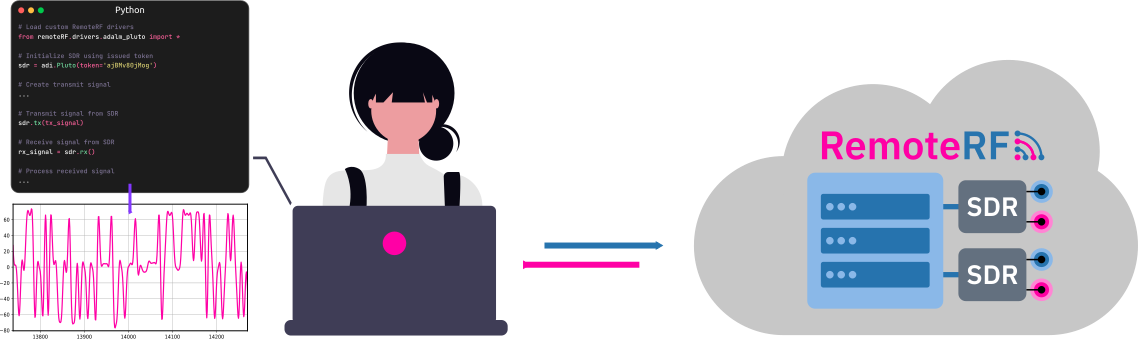
The RemoteRF platform allows students, researchers, and engineers to remotely access and control physical software-defined radios (SDRs) over a network using simple Python scripts running on their own computers.
What is a Software-Defined Radio?
A software-defined radio (SDR) is a wireless transmitter, receiver, or transceiver whose radio parameters can be configured through software rather than fixed hardware circuitry.
In a traditional radio (like a dedicated FM broadcast receiver or Wi-Fi chip), the RF filters, modulation schemes, and frequencies are hardwired into analog components. In contrast, an SDR acts as a flexible radio-frequency (RF) front end:
- When transmitting, software running on the user’s computer generates digital complex baseband samples (I/Q data). The SDR converts these digital samples to an analog signal, upconverts them to a designated carrier frequency (e.g., 915 MHz or 2.4 GHz), amplifies the signal, and sends it out through an antenna or cable.
- When receiving, the SDR captures incoming RF signals, filters and downconverts them to baseband, digitizes them with analog-to-digital converters (ADCs), and hands complex digital samples back to the user’s computer to be processed in software.
Because all signal modulation, filtering, and analysis happen in software (such as Python with NumPy and SciPy), an SDR can be reconfigured on the fly to transmit or receive almost any wireless waveform.
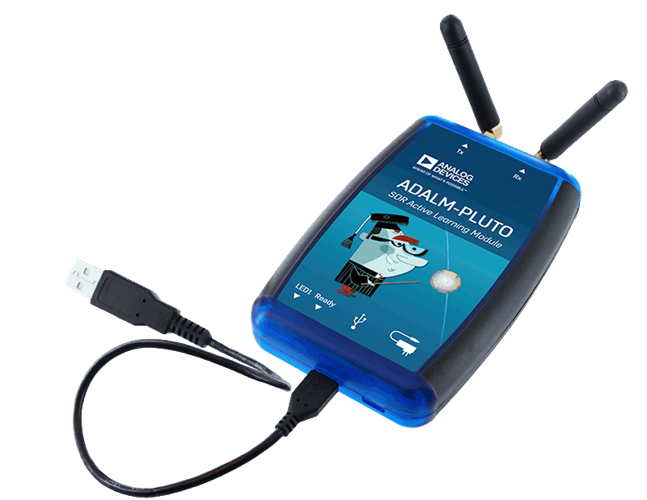 ADALM-PLUTO
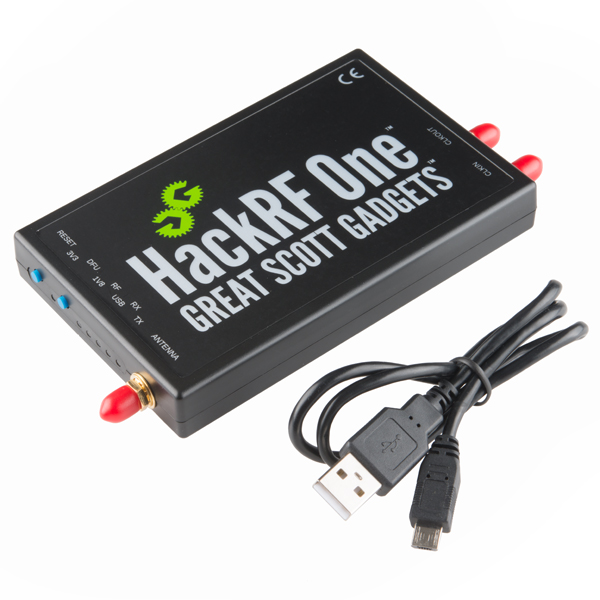 HackRF One
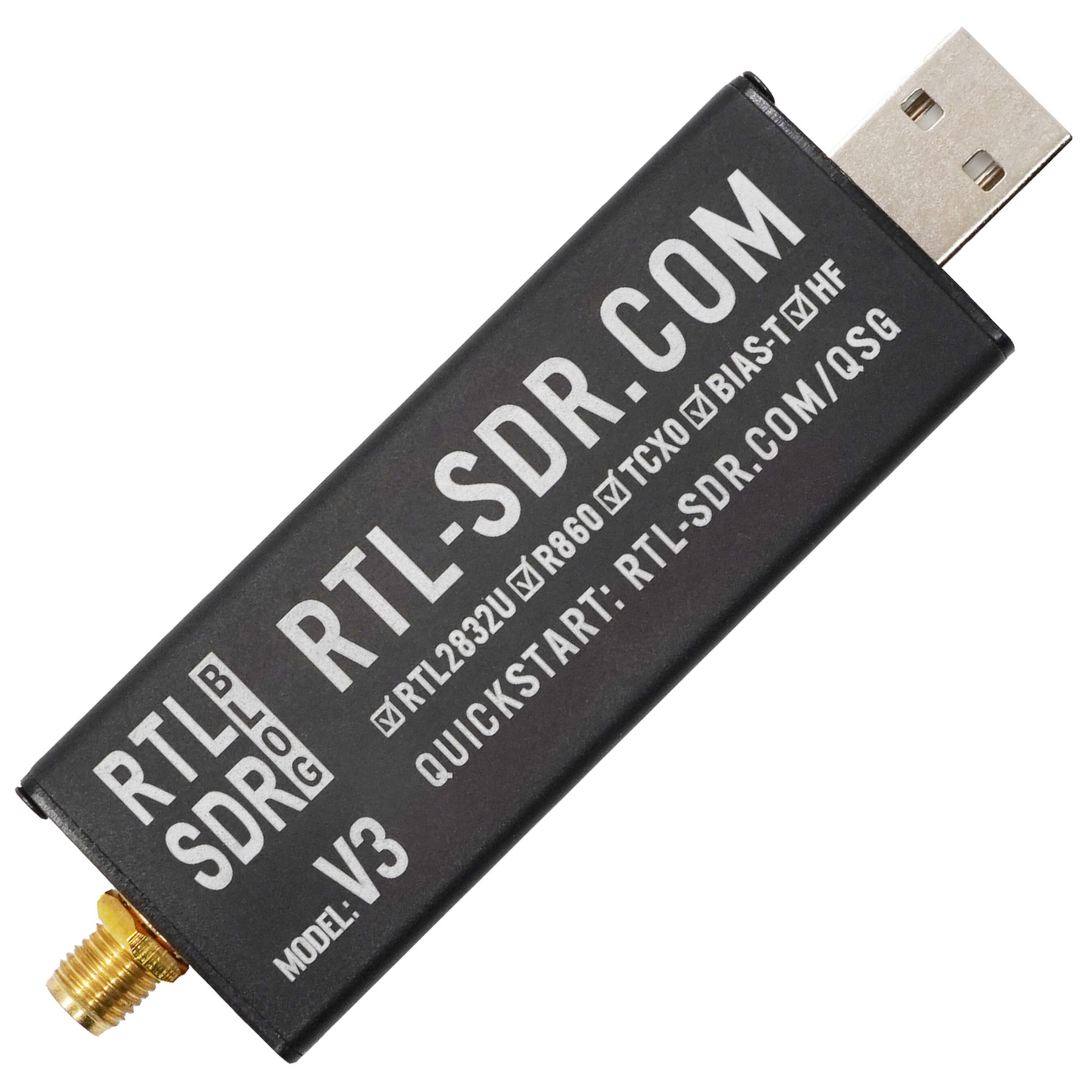 RTL-SDR
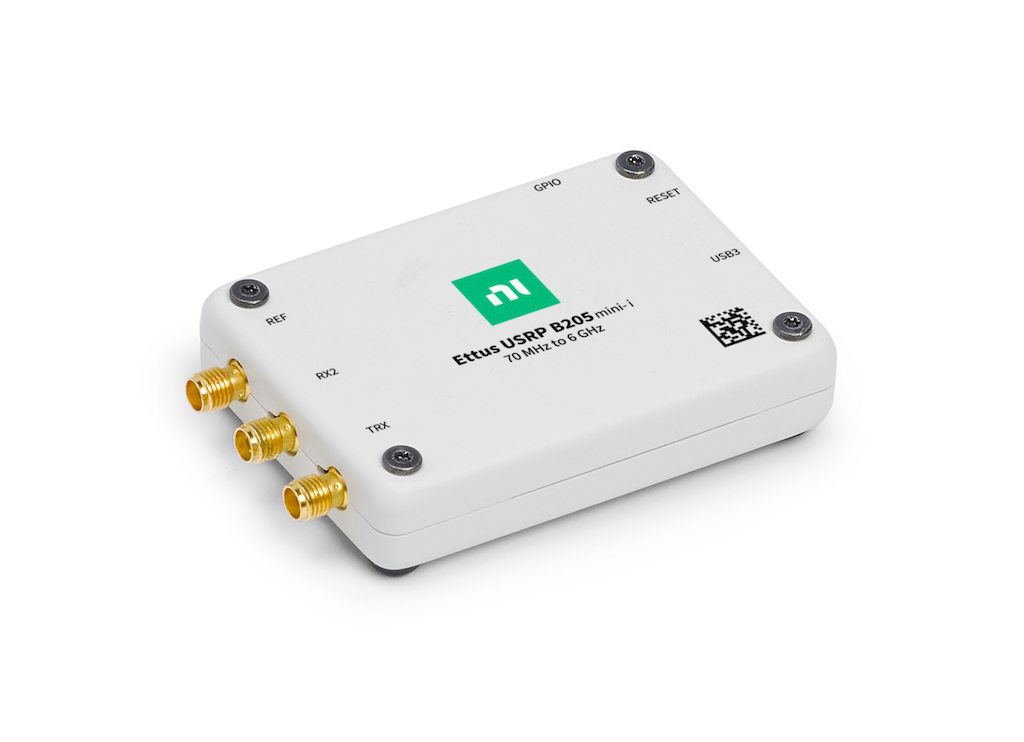 USRP B205-mini
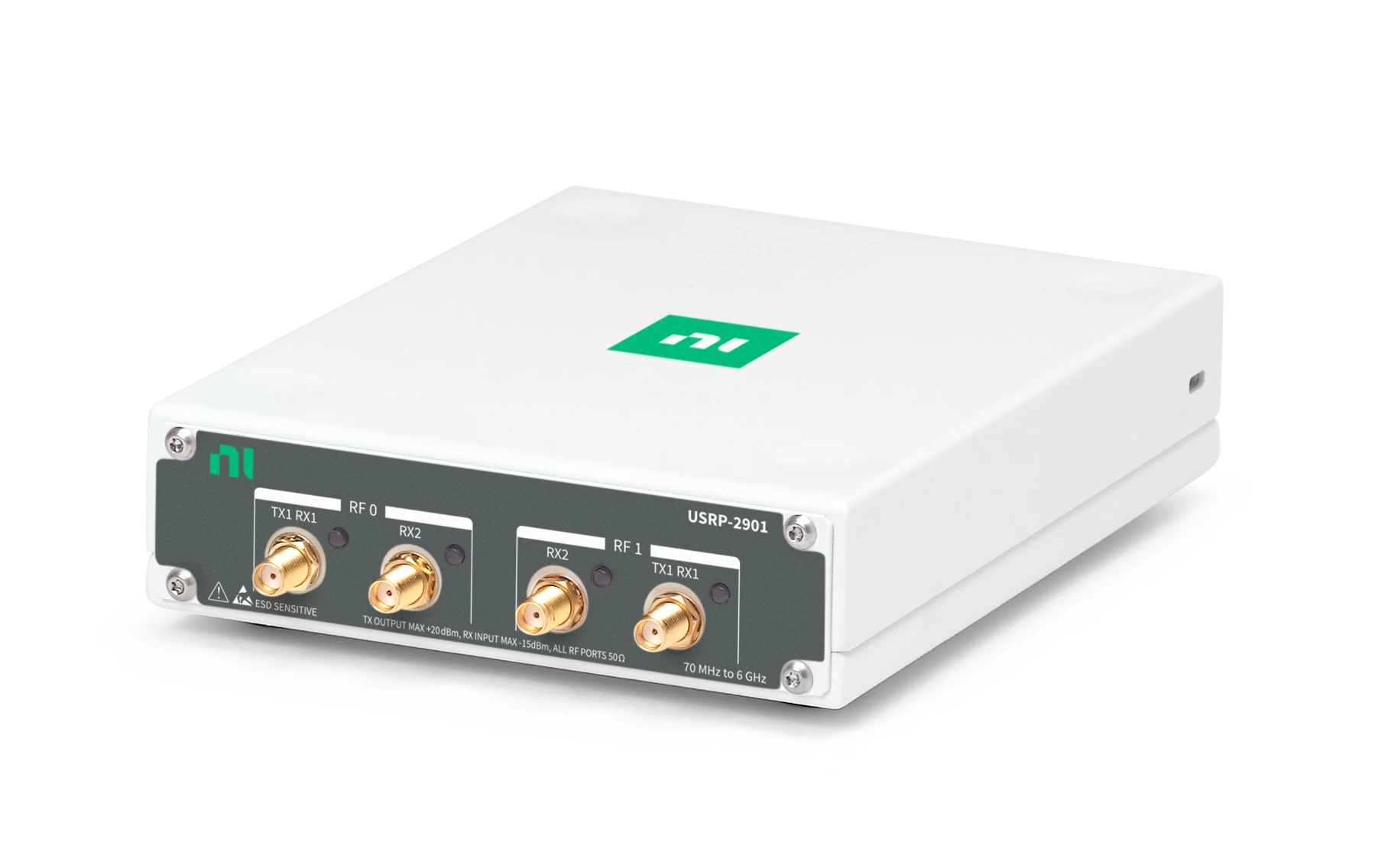 USRP 2901
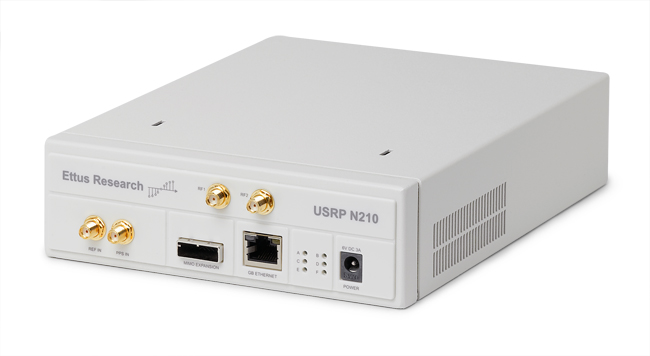 USRP N210
Popular software-defined radios supported by RemoteRF.
What is RemoteRF?
Traditionally, working with SDRs requires being physically present in a laboratory, plugging radios into a computer via USB or Ethernet cables, and wrestling with complex vendor drivers, firmware revisions, and hardware dependencies.
RemoteRF solves this problem by hosting SDR hardware on a centralized server and exposing it over the network. A RemoteRF server is deployed by an institution (such as a university department, research lab, or company) with an attached inventory of physical software-defined radios configured with antennas or cable connections.
Through RemoteRF, users can log into the server, view available SDRs, and reserve an exclusive time slot. Upon reserving a device, RemoteRF issues an authentication token that users pass into their local Python script. From there, the script communicates with the remote radio as if it were plugged directly into the user’s computer, while the server takes care of USB/Ethernet communication, vendor drivers, and hardware buffer management behind the scenes.
Why Use RemoteRF?
RemoteRF provides several major benefits:
- Anytime, anywhere: Users can conduct hardware-in-the-loop wireless experiments from home, the library, or a dorm room.
- Zero hardware setup or drivers: Users do not need to install complex driver stacks (like UHD, libiio, or libusb) on their local machines. They only need a standard Python installation and the lightweight
remoterfclient package. - Fair and exclusive access: The reservation system guarantees that when an SDR is reserved, only that user’s script can access the radio during the scheduled time slot. Users never have to worry about others colliding with their transmissions.
- Standard Python workflow: Interfacing with a remote SDR feels virtually identical to having the radio plugged directly into a local USB port. Received signals are returned directly as standard NumPy arrays for easy plotting and analysis.
Typical Usage
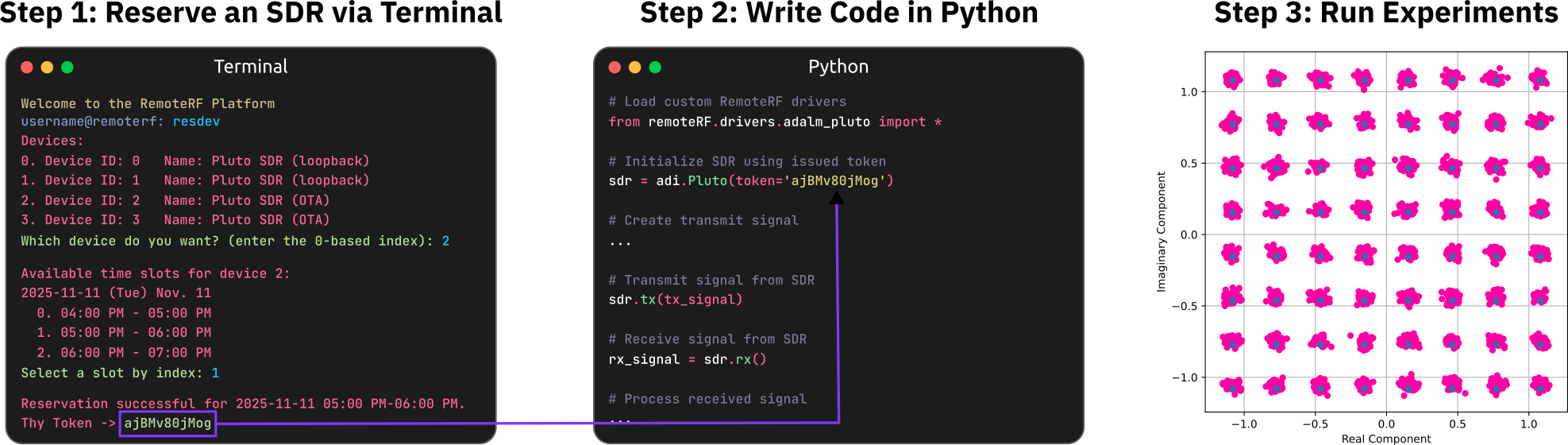
1. Log In and Reserve an SDR
The first step to using RemoteRF is logging into the institution’s RemoteRF server from a terminal:
remoterf --loginOnce logged into the interactive shell, users can check which devices are connected using getdev, view user permissions with perms, and reserve an available SDR using resdev. After selecting an open time slot and confirming the reservation, RemoteRF issues a unique reservation token (such as dUx6lG3I9lA). Users keep this token handy to authenticate the connection in Python.
2. Write the Python Script
In the local Python script, import the driver for the reserved device and initialize the radio object using the issued token.
For example, users can connect to an ADALM-PLUTO software-defined radio via:
from remoterf.drivers.adalm_pluto import *
pluto = adi.Pluto(token='dUx6lG3I9lA')
3. Run the Script
Execute the Python script locally on a personal computer:
python my_experiment.pySignal processing code executes locally on the user’s machine. When the script calls transmit or receive functions, RemoteRF transparently routes those commands and sample buffers across the network to the physical radio on the server, returning the captured signals directly back to the Python script for analysis and plotting.
Supported Hardware
RemoteRF includes built-in drivers for a variety of popular software-defined radios:
- ADALM-PLUTO: Compact, cost-effective full-duplex transceiver covering 325 MHz to 3.8 GHz.
- USRP 2901: High-performance 2×2 MIMO full-duplex transceiver covering 70 MHz to 6 GHz.
- USRP B205-mini: Compact full-duplex transceiver covering 70 MHz to 6 GHz.
- USRP N210: Modular SDR platform supporting interchangeable RF daughterboards.
- HackRF One: Half-duplex transceiver covering 1 MHz to 6 GHz.
- RTL-SDR: Inexpensive, receive-only dongle covering ~24 MHz to 1.7 GHz.
Available Devices Vary by Institution: RemoteRF supports all of the radios listed above, but the specific SDR models and antenna/cabling setups available depend on what hardware the institution’s administrator has connected to their RemoteRF server. When users log in and view the reservation list, they will see the exact inventory available at their institution.
Next Steps
Ready to get started? Follow the step-by-step guides below:
Set up the Python environment, install the remoterf package, configure the server address, and create an account.
Log in to the interactive CLI, check device status, reserve SDR time slots, and manage reservation tokens.
Explore code examples, property tables, and tuning tips for the ADALM-PLUTO, USRPs, HackRF, and RTL-SDR.
Find answers to common questions about reservations, tokens, networking, and privacy.