

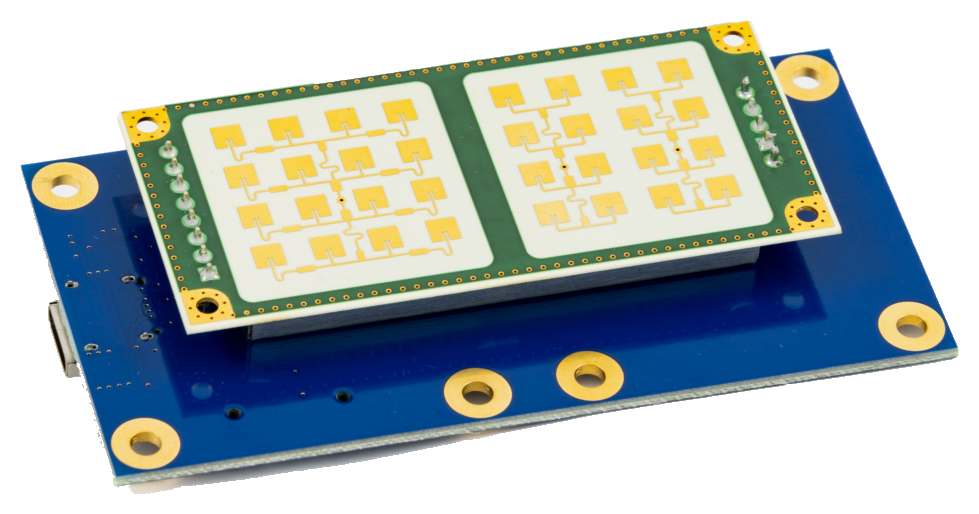
This guide covers connecting an RFbeam K-MD7 (or K-MD7-EVAL evaluation kit) 24 GHz digital radar transceiver to a RemoteRF server or host over USB. Support is included in the built-in rfbeam_kmd7 schema.
Overview
RemoteRF supports the RFbeam K-MD7 through the built-in rfbeam_kmd7 schema. The K-MD7-EVAL carrier board communicates with the Linux host over USB via an onboard FTDI UART bridge operating at 115200 baud.
device_type:rfbeam_kmd7- Transport: USB UART (
115200baud) - Required identifiers: Serial port path (
port) or USB serial / auto-detection (auto_detect: true)
1. Install Dependencies and Detect the Radar
Install pyserial and Configure dialout Access
Install pyserial and ensure the service user has read/write access to USB serial ports:
pip install pyserial numpy
sudo usermod -aG dialout $USER
Locate the FTDI Serial Interface
Plug the K-MD7-EVAL USB cable into the host and check /dev/serial/by-id/:
ls -l /dev/serial/by-id/Typical output for the K-MD7-EVAL FTDI bridge:
usb-FTDI_FT230X_Basic_UART_DK0F4FKO-if00-port0 -> ../../ttyUSB02. Configure devices.yml
The rfbeam_kmd7 schema is included out of the box. Add the device entry to ~/.config/remoterf/devices.yml on the server (or ~/.config/remoterf/host/devices.yml on a host):
devices:
  - device_id: 21
    device_type: rfbeam_kmd7
    name: K-MD7_Radar
    init:
      port: "/dev/serial/by-id/usb-FTDI_FT230X_Basic_UART_DK0F4FKO-if00-port0"
      baudrate: 115200
If only one FTDI K-MD7 device is attached to the host, you can also use automatic USB VID/PID discovery:
devices:
  - device_id: 21
    device_type: rfbeam_kmd7
    name: K-MD7_Radar
    init:
      auto_detect: true
3. Verification
- Start or restart the RemoteRF service (
serverrf -sorhostrf -s). - Confirm that
K-MD7_RadarreportsONLINEin the server console. - Reserve the device and verify firmware handshaking and frame acquisition from Python:
from remoterf.drivers import ensure_driver

TOKEN = "K-MD7_Radar@ucla"
ensure_driver(token=TOKEN)

from remoterf.drivers.rfbeam_kmd7 import RFBeamKMD7

radar = RFBeamKMD7(token=TOKEN)
print("K-MD7 Firmware Version:", radar.firmware_version)
cloud = radar.capture_point_cloud(timeout=1.0)
print(
    f"Frame #{cloud['frame_number']}: "
    f"{cloud['num_raw_points']} raw points, {cloud['num_tracked_targets']} tracked targets"
)
radar.close()
Next Steps
- See the RFbeam K-MD7 Client Guide for
PDAT/TDATdecoding and Cartesian point-cloud visualization. - Return to Device Setup Overview.