
USRP B205-mini Device Guide
Use this guide when you want to attach an Ettus Research USRP B205-mini directly to the main RemoteRF server over USB 3.
This guide covers the built-in Ettus Research USRP B205-mini path in the current RemoteRF server implementation. The complete USRP schema is installed automatically on a fresh server, so most setups only need the supported UHD runtime, a USB 3 connection, a detectable radio, and a correct devices.yml entry.
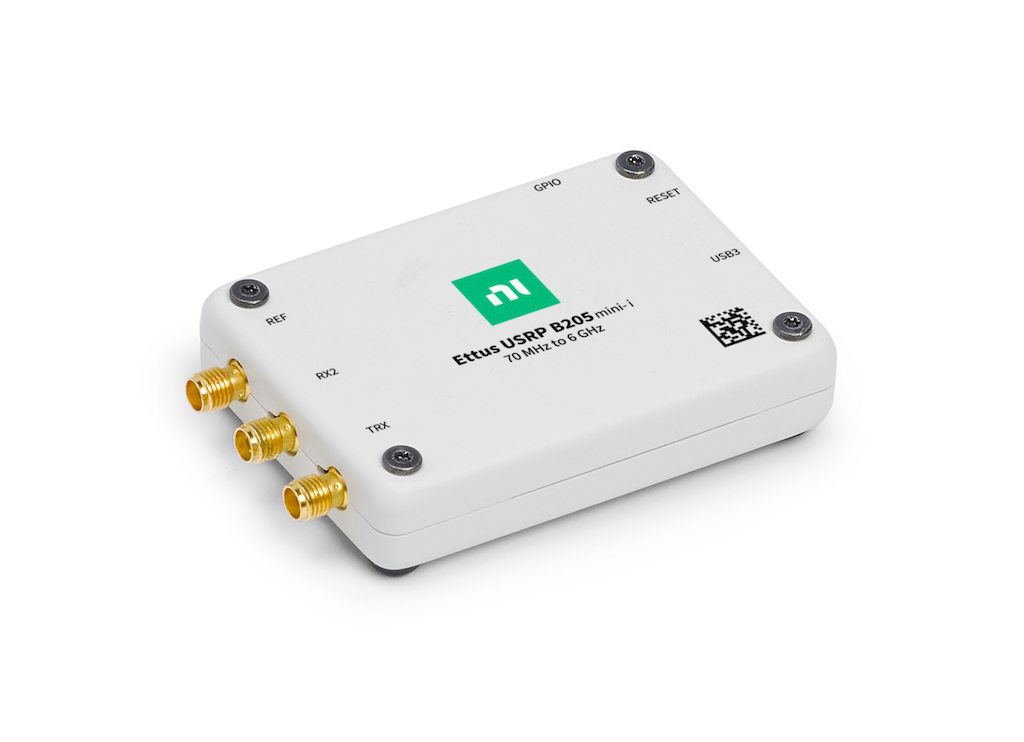
Overview
RemoteRF supports the USRP B205-mini through the same built-in usrp schema used by the NI USRP-2901 and other UHD radios. Its structured b205mini profile keeps it distinct from another B200-family device connected to the same server and selects the exact radio by USB serial number.
The current path is server-local: the Linux machine running serverrf must have the supported UHD runtime installed, must be able to see the radio locally without sudo, and must have the right devices.yml entry. The B205-mini has one RX channel, one TX channel, and a high-speed USB 3 connection.
The minimum setup is as follows:
- Install the UHD 4.10.0.0 Python API and command-line tools in the environment used by
remoterf-server. - Connect the B205-mini directly to the server over USB 3.
- Confirm that
uhd_find_devicesanduhd_usrp_probecan see the serial withoutsudo. - Add the B205-mini to the server’s
devices.yml, then restartserverrf.
Schema note:
A fresh RemoteRF server installs the full USRP schema automatically. If the machine already contains a custom driver registered as usrp in ~/.config/remoterf/drivers/, that custom driver takes precedence. Keep it only when that override is intentional.
Install and Detect
Install the Supported UHD Runtime
Install UHD and its Python bindings on the Linux server that owns the B205-mini. RemoteRF requires UHD Python API version 4.10.0.0; the simplest exact-version install is the prebuilt Conda package.
conda activate YOUR_REMOTERF_ENV
conda install -y -c conda-forge "uhd=4.10.0.0"
uhd_images_downloaderpython - <<'PY'
import uhd
print(uhd.get_version_string())
PY4.10.0.0. Start serverrf from this same environment.
Verify Detection
Connect the B205-mini by USB 3 and confirm that UHD can find and probe it before you edit devices.yml.
uhd_find_devices --args "type=b200"
uhd_usrp_probe --args "type=b200,serial=YOUR_SERIAL"3, and includes a serial value. The probe should complete with a passing register loopback. Copy the serial exactly for devices.yml.
Fix USB Permissions
If UHD only finds the radio with sudo, install the udev rules supplied with your UHD 4.10 installation, reload the rules, reconnect the radio, and sign out and back in if your distribution changed group membership.
sudo udevadm control --reload-rules
sudo udevadm triggersudo. Do not continue until the account that starts RemoteRF can probe the radio directly.
Manifest Example
Save this file as ~/.config/remoterf/devices.yml on the main RemoteRF server to which the B205-mini is physically attached.
devices:
  - device_id: 9
    device_type: usrp
    name: B205-mini Bench
    init:
      profile: b205mini
      type: b200
      serial: "31E9F48"
Alternatively, create the same YAML entry through the server CLI:
serverrf --device --add --usrp-b205-mini "9:B205-mini Bench:31E9F48"
serverrf --device --show
If the B205-mini is attached to a RemoteRF Host instead, use hostrf for the add command:
hostrf --device --add --usrp-b205-mini "9:B205-mini Bench:31E9F48"The --usrp-b205mini and --b205mini spellings are accepted as aliases. The three colon-separated values are device_id:name:serial.
Important:
device_type must be usrp, init.profile must be b205mini, and init.serial must match UHD. RemoteRF opens only type=b200,serial=... after an authenticated client starts a session, so the B205-mini remains distinct from an NI USRP-2901 or another B200-family radio on the same server.
Verify the B205-mini Comes Online
Start the server with serverrf -s. Use devices list in the interactive shell to confirm that the inventory entry loaded, then reserve the device from a current RemoteRF client.
from remoterf.drivers import ensure_driver

token = "reservation-token"
ensure_driver(token=token)

from remoterf.drivers.usrp import uhd

with uhd.usrp.MultiUSRP(token=token) as usrp:
    print(usrp.get_pp_string())
    print(usrp.get_rx_freq_range(0))
Expected result: Opening the session validates UHD 4.10.0.0 and claims the serial-bound radio. Begin with receive-only checks unless the test environment is authorized and RF-isolated for transmission.