

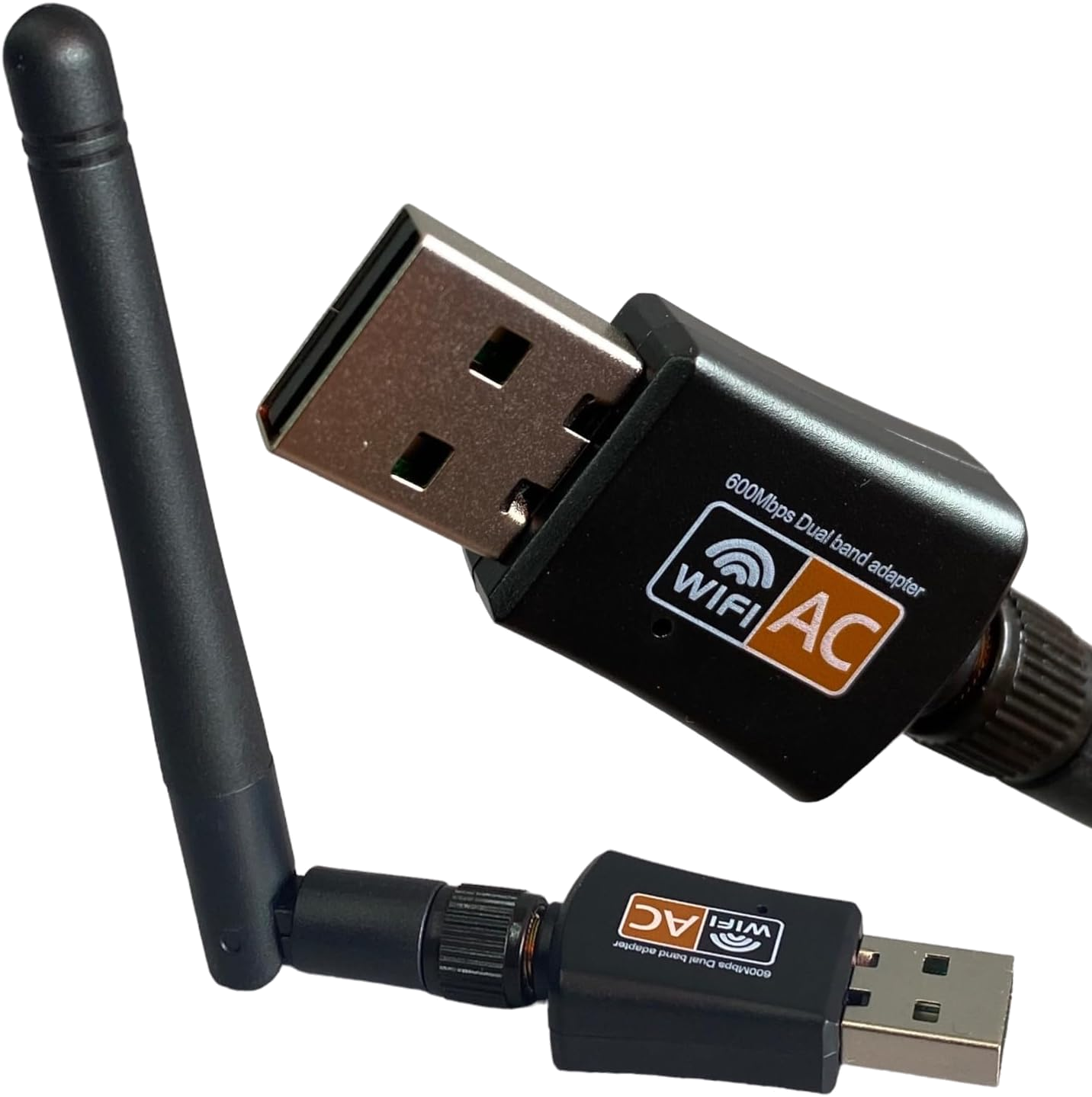
RemoteRF supports dual-band 802.11ac USB Wi-Fi dongles (based on the Realtek RTL8811CU / RTL8821CU chipset) for 2.4 GHz and 5 GHz RF environment monitoring. Operating as a dedicated wireless scanner without disturbing the host’s network connection, the dongle performs hardware 802.11 beacon and probe sweeps to report per-BSSID Received Signal Strength Indicator (RSSI) in dBm, channel allocations, bandwidths, Wi-Fi standards, and beacon Information Elements. This guide covers how to initialize, scan, and measure Wi-Fi signal strength with a reserved Wi-Fi dongle through RemoteRF using Python.
Device Initialization
To interface with a Wi-Fi dongle through RemoteRF, call ensure_driver to make sure the local driver is up to date, import WifiDongle from remoterf.drivers.wifi, and initialize a dongle object with either your reserved device handle (e.g., "WiFi_Dongle@ucla" while logged in with remoterf --login) or the reservation token issued by resdev:
from remoterf.drivers import ensure_driver
ensure_driver(token="WiFi_Dongle@ucla")

from remoterf.drivers.wifi import WifiDongle
dongle = WifiDongle(token="WiFi_Dongle@ucla") # device handle or reservation token
Once initialized, the dongle object provides methods for single-shot scans, targeted SSID/BSSID RSSI queries, burst power averaging, and channel utilization summaries.
Example Script
The Python script below demonstrates how to scan 2.4 GHz and 5 GHz Wi-Fi channels and collect RSSI measurements via the RemoteRF platform.
In this example, the script scans for visible access points across both bands, prints the strongest networks, performs a 5-sample burst RSSI measurement (get_rssi_burst) on the strongest access point, and plots the RSSI distribution across channels.
Note that the device initialization lines described above have already been included in the code below. You should not need to change any of the code below except for the device handle or token for your reservation.
import matplotlib.pyplot as plt
from remoterf.drivers import ensure_driver

# -------------------------------------------------------
# 1. Connect to Reserved Wi-Fi Dongle
# -------------------------------------------------------
TOKEN = "WiFi_Dongle@ucla"
ensure_driver(token=TOKEN)

from remoterf.drivers.wifi import WifiDongle

dongle = WifiDongle(token=TOKEN)

info = dongle.device_info
print(f"Connected to {info['interface']} (Driver: {info.get('driver')}, MAC: {info.get('mac_address')})")
print(f"Default route safe: {dongle.default_route_safe}")

# -------------------------------------------------------
# 2. Scan All Visible 2.4 GHz & 5 GHz Access Points
# -------------------------------------------------------
aps = dongle.scan(rescan=True)
print(f"\nDiscovered {len(aps)} access points:")
for ap in aps[:10]:
    ssid = ap["ssid"] or "<Hidden SSID>"
    print(
        f"  {ssid:<22} | {ap['bssid']} | "
        f"{ap['signal_dbm']:6.1f} dBm ({ap['quality_pct']:3d}%) | "
        f"{ap['band']} Ch {ap['channel']} ({ap.get('security', 'Open')})"
    )

# -------------------------------------------------------
# 3. High-Precision Burst RSSI Measurement
# -------------------------------------------------------
if aps:
    strongest_target = aps[0]["ssid"] or aps[0]["bssid"]
    burst = dongle.get_rssi_burst(
        strongest_target,
        count=5,
        max_time=4.0,
        rescan=True,
    )
    print(f"\nBurst RSSI for '{strongest_target}' ({burst['sample_count']} samples):")
    print(f"  Linear Power Avg : {burst['linear_avg_dbm']} dBm ({burst['linear_avg_mw']} mW)")
    print(f"  Min / Max / Std  : {burst['min_dbm']} / {burst['max_dbm']} dBm (std: {burst['std_db']} dB)")

dongle.close()

# -------------------------------------------------------
# 4. Plot Top Access Points by Signal Strength (dBm)
# -------------------------------------------------------
top_aps = aps[:12]
labels = [f"{a['ssid'] or 'Hidden'} (Ch {a['channel']})" for a in reversed(top_aps)]
signals = [a["signal_dbm"] for a in reversed(top_aps)]
colors = ["#2563eb" if "5" in str(a.get("band", "")) else "#16a34a" for a in reversed(top_aps)]

plt.figure(figsize=(9, 5))
plt.barh(labels, signals, color=colors, alpha=0.85)
plt.axvline(-67, color="orange", linestyle="--", linewidth=1, label="Good Signal (-67 dBm)")
plt.title("RemoteRF Wi-Fi Environment Scan (Top Access Points)")
plt.xlabel("Received Signal Strength Indicator — RSSI (dBm)")
plt.xlim(-95, -20)
plt.grid(True, axis="x", alpha=0.3)
plt.legend(loc="lower right")
plt.tight_layout()
plt.savefig("wifi_rssi_scan.png", dpi=150)
plt.show()
Properties and Methods
Properties
The properties below inspect the wireless interface state and configure caching behavior on WifiDongle.
| Property | Type | Access | Description & Range |
|---|---|---|---|
interface |
str |
R/O | Linux wireless interface name bound to the USB dongle (e.g., 'wlx90de80c154a5'). |
device_info |
dict |
R/O | Hardware and network summary containing interface, mac_address, driver (rtw_8821cu), usb_id, operstate, and default_route_dev. |
is_available |
bool |
R/O | True if the USB Wi-Fi interface is present and ready to scan. |
default_route_safe |
bool |
R/O | True when the host's default network route is carried by another interface (such as wired Ethernet) and the Wi-Fi dongle owns no default gateway. |
auto_rescan |
bool |
R/W | Default rescan behavior when scan() or get_rssi() is called (default True). |
scan_count |
int |
R/O | Total number of wireless scans performed during the current session. |
last_scan_time |
float |
R/O | Unix epoch timestamp of the most recent wireless scan. |
Methods
The methods below trigger 802.11 scans, query per-network RSSI and beacon metadata, and compute band statistics.
| Method | Returns | Description |
|---|---|---|
scan(rescan=True, *, band='', min_rssi=-120.0) |
list[dict] |
Scans for nearby access points sorted strongest-first. Optionally filter by band ('2.4 GHz' or '5 GHz') and min_rssi threshold in dBm. |
get_rssi(target, *, rescan=True) |
float or None |
Looks up an access point by SSID or BSSID MAC address and returns its signal strength in dBm, or None if not detected. |
get_rssi_burst(target, *, count=10, max_time=5.0, rescan=True) |
dict |
Collects up to count rapid RSSI measurements within max_time seconds and returns both linear power average (mW converted back to dBm) and dB-domain mean/min/max/std statistics. |
get_ap(target, *, rescan=True) |
dict |
Returns the full scan record for the strongest access point matching target (SSID or BSSID). |
get_ap_details(target) |
dict |
Extracts deep 802.11 beacon Information Elements (IEs) for target, including WPS manufacturer/model, TSF uptime clock, 802.11n/ac/ax spatial stream counts, SU/MU-MIMO beamforming support, and regulatory country code. |
scan_summary() |
dict |
Returns an aggregate RF environment summary with total APs, unique SSIDs, 2.4 GHz vs. 5 GHz counts, and strongest/weakest signal statistics. |
get_channel_distribution() |
dict |
Groups discovered access points by 802.11 channel number, reporting AP count, strongest RSSI, and SSID list per channel. |
get_history(target='') |
list[dict] |
Returns historical RSSI time-series entries recorded during the session (optionally filtered to a specific SSID or BSSID). |
close() |
None |
Closes the client RPC session. |
Tips and Tricks
1. Linear Power Averaging vs. dBm Averaging
Because decibels are logarithmic, averaging raw dBm numbers directly computes a geometric mean of power rather than the true physical average power. dongle.get_rssi_burst(...) converts each measurement P_dBm,i to linear milliwatts (P_mW,i = 10^(P_dBm,i / 10)), averages in the linear domain, and converts back to dBm (linear_avg_dbm). Use linear_avg_dbm for path-loss modeling, indoor localization, and shadowing experiments.
2. Fast Cached Reads vs. Hardware Rescans
A full dual-band hardware nl80211 scan across all 2.4 GHz and 5 GHz channels takes roughly 1.5–3.0 seconds. When querying multiple targets from the same sweep, run dongle.scan(rescan=True) once and pass rescan=False to subsequent get_rssi(target, rescan=False) or get_ap(target, rescan=False) calls to read instantaneously from the kernel BSS cache.