

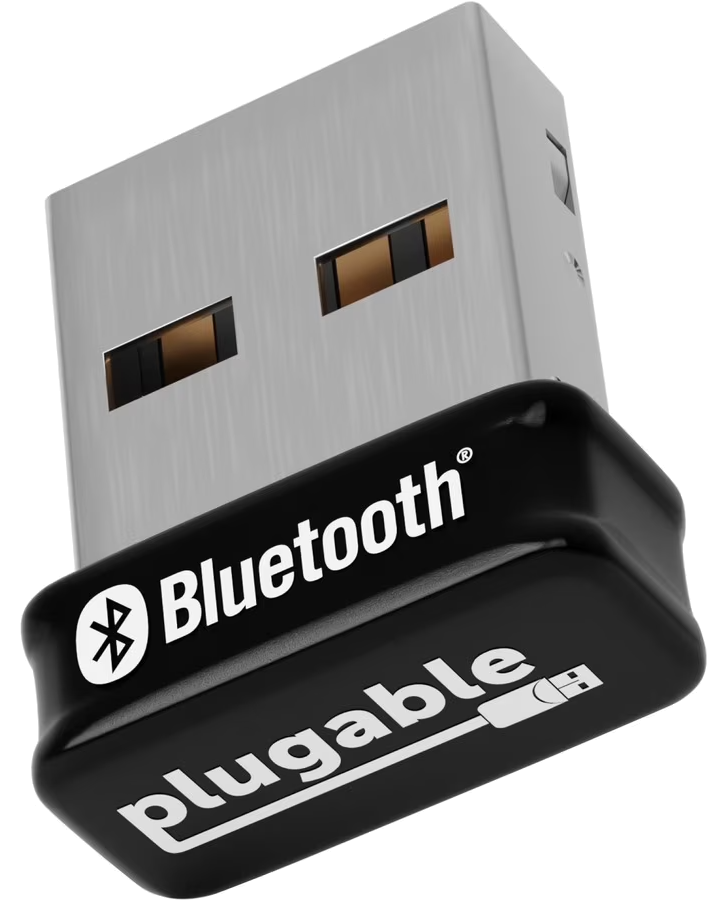
RemoteRF supports USB Bluetooth Classic (BR/EDR) and Bluetooth Low Energy (BLE) dongles for 2.4 GHz wireless discovery and signal strength monitoring. Operating over a dedicated BlueZ HCI controller, the dongle performs over-the-air BLE advertisement and Classic inquiry scans to report per-device Received Signal Strength Indicator (RSSI) in dBm, IEEE OUI vendor identification, and log-distance path-loss range estimates. This guide covers how to initialize, configure, and scan for nearby Bluetooth devices with a reserved Bluetooth dongle through RemoteRF using Python.
Device Initialization
To interface with a Bluetooth dongle through RemoteRF, call ensure_driver to make sure the local driver is up to date, import BluetoothModule from remoterf.drivers.bluetooth, and initialize a bt object with either your reserved device handle (e.g., "Bluetooth_Dongle@ucla" while logged in with remoterf --login) or the reservation token issued by resdev:
from remoterf.drivers import ensure_driver
ensure_driver(token="Bluetooth_Dongle@ucla")

from remoterf.drivers.bluetooth import BluetoothModule
bt = BluetoothModule(token="Bluetooth_Dongle@ucla") # device handle or reservation token
Once initialized, the bt object provides methods for active discovery sweeps, cached device lookups, and adapter status queries.
Example Script
The Python script below demonstrates how to inspect a Bluetooth adapter and scan for nearby BLE and Classic Bluetooth devices via the RemoteRF platform. In this example, the script queries the adapter’s hardware address, chipset, and Bluetooth specification version, runs an over-the-air discovery scan, and prints a table of discovered devices sorted by RSSI.
Note that the device initialization lines described above have already been included in the code below. You should not need to change any of the code below except for the device handle or token for your reservation.
from remoterf.drivers import ensure_driver

# -------------------------------------------------------
# 1. Connect to Reserved Bluetooth Dongle
# -------------------------------------------------------
TOKEN = "Bluetooth_Dongle@ucla"
ensure_driver(token=TOKEN)

from remoterf.drivers.bluetooth import BluetoothModule

bt = BluetoothModule(token=TOKEN)

# -------------------------------------------------------
# 2. Inspect Adapter Hardware Metadata
# -------------------------------------------------------
print(f"Adapter   : {bt.adapter} ({bt.address})")
print(f"Chipset   : {bt.chipset}")
print(f"BT Spec   : {bt.version}")
print(f"Powered   : {bt.powered}")

# Ensure RF controller is powered on
if not bt.powered:
    bt.powered = True

# -------------------------------------------------------
# 3. Scan for Nearby BLE & Classic Bluetooth Devices
# -------------------------------------------------------
devices = bt.scan(timeout=6.0, named_only=False)
print(f"\nFound {len(devices)} Bluetooth devices:")
print(f"  {'Signal':<8} {'RSSI':<9} {'Est. Dist':<10} {'MAC Address':<19} {'Name':<24} {'Vendor'}")
print("  " + "-" * 86)

for dev in devices:
    rssi = dev.get("rssi")
    rssi_str = f"{rssi} dBm" if rssi is not None else "N/A"
    bar = dev.get("signal_bar", "")
    dist = dev.get("distance_str", "N/A")
    addr = dev.get("address", "")
    name = (dev.get("name") or "(Unnamed)")[:23]
    vendor = dev.get("vendor", "Unknown")
    print(f"  {bar:<8} {rssi_str:<9} {dist:<10} {addr:<19} {name:<24} {vendor}")

bt.close()
Properties and Methods
Properties
The properties below inspect and control the BlueZ HCI controller on BluetoothModule.
| Property | Type | Access | Description & Range |
|---|---|---|---|
adapter |
str |
R/O | Linux BlueZ HCI interface name assigned to the USB dongle (e.g., 'hci1'). |
address |
str |
R/O | 48-bit Bluetooth hardware MAC address (BD_ADDR) of the adapter (also accessible via bd_address). |
chipset |
str |
R/O | Controller manufacturer and USB chipset identification string. |
version |
str |
R/O | Supported Bluetooth Core Specification version (e.g., '4.0', '5.0'). |
powered |
bool |
R/W | RF controller power state (True = powered on, False = powered down). |
discovering |
bool |
R/O | True when an active over-the-air discovery sweep is currently running. |
device_count |
int |
R/O | Total number of Bluetooth devices currently stored in the adapter's discovery cache. |
is_zexmte |
bool |
R/O | True if the adapter matches the ZEXMTE CSR8510 USB hardware profile. |
Methods
The methods below perform active BLE/Classic discovery sweeps, query cached device records, and reset the HCI adapter.
| Method | Returns | Description |
|---|---|---|
scan(timeout=5.0, *, named_only=False, min_rssi=None, limit=None) |
list[dict] |
Runs an active Bluetooth discovery sweep for timeout seconds (1.0–30.0 s) and returns discovered devices sorted by strongest RSSI first. Each dict includes address, name, rssi, signal_bar, distance_str, and vendor. |
scan_summary(timeout=5.0) |
dict |
Runs a discovery sweep and returns aggregate statistics (total devices, named devices, RSSI range, and top vendors). |
get_devices(*, named_only=False, min_rssi=None, limit=None) |
list[dict] |
Returns the currently cached list of discovered Bluetooth devices without triggering a new over-the-air scan. |
get_device(address) |
dict |
Queries detailed metadata for a single Bluetooth MAC address (e.g., 'AA:BB:CC:DD:EE:FF'), including service UUIDs, appearance, and manufacturer data. |
info() |
dict |
Returns a consolidated dictionary of adapter hardware and state attributes. |
reset() |
dict |
Clears the discovered device cache and ensures the HCI controller is powered on, returning {'status': 'reset_complete', 'powered': True, 'cached_devices': 0}. |
close() |
None |
Closes the client RPC session. |
Tips and Tricks
1. Filtering High-Density BLE Environments
University labs and office buildings often contain dozens of anonymous BLE beacons with randomized privacy MAC addresses. Use named_only=True and min_rssi=-75 to isolate nearby identifiable peripherals:
nearby_named = bt.scan(timeout=5.0, named_only=True, min_rssi=-75, limit=15)2. Choosing Scan Duration
BLE advertising intervals typically range from 20 ms to 1.28 s, while Bluetooth Classic inquiry scans step across 32 hop frequencies over several seconds. A timeout of 5.0 to 8.0 seconds provides reliable capture of both BLE advertisements and Classic BR/EDR inquiry responses.