
RTL-SDR Guide
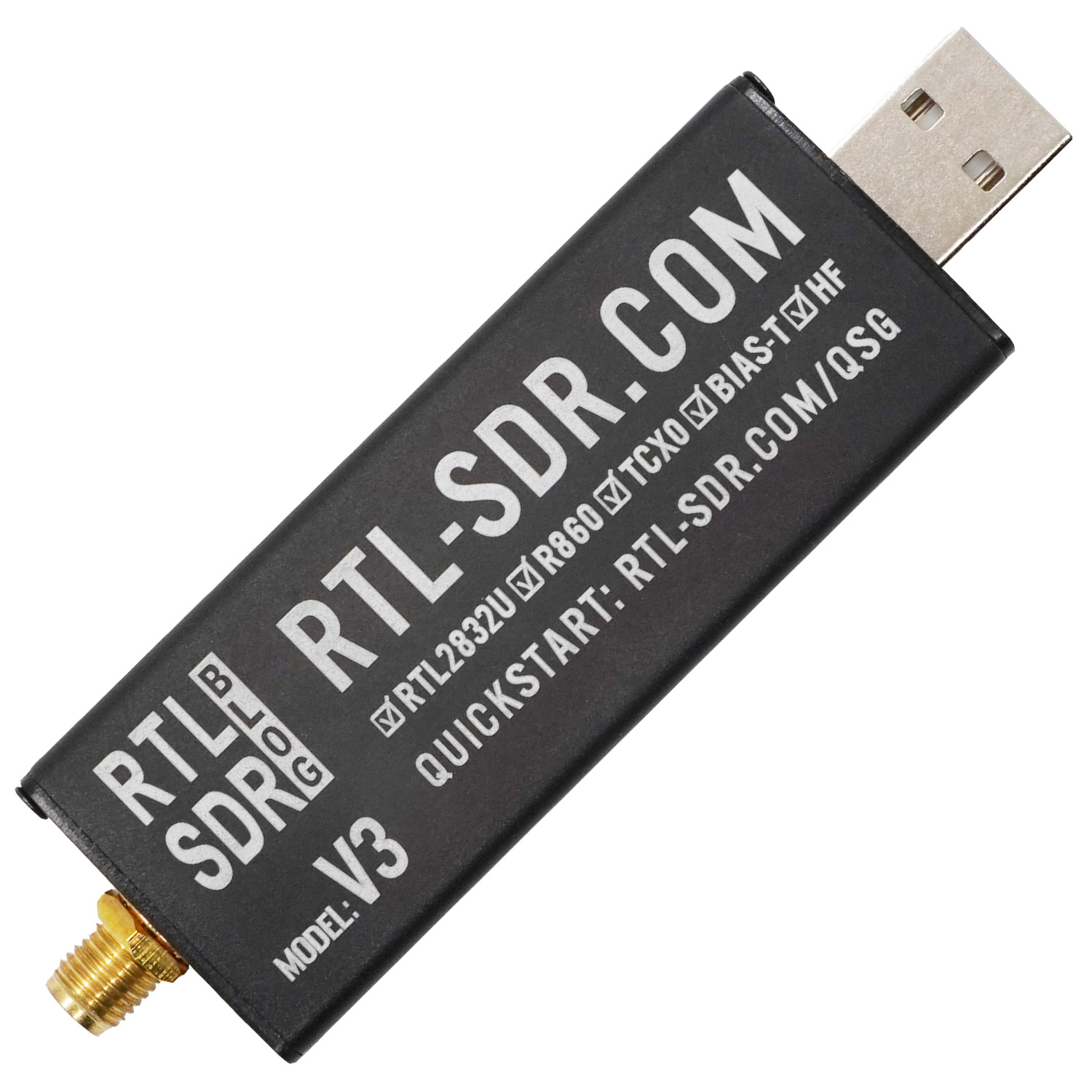
RemoteRF supports RTL-SDR devices, widely popular low-cost software-defined radio receivers based on the Realtek RTL2832U demodulator and Rafael Micro R820T/R820T2 (or compatible) tuners. The RTL-SDR is an RX-only device (no transmitter) capable of wideband reception typically spanning ~24 MHz to ~1.766 GHz with stable sampling rates up to 2.4 MSPS (8-bit ADC resolution). This guide covers how to initialize, configure, and stream baseband IQ signals with a reserved RTL-SDR through RemoteRF using Python.
Device Initialization
To interface with an RTL-SDR through RemoteRF, import the device driver from the remoterf library and initialize an rtlsdr object with the token issued upon making your reservation.
This token is used by the RemoteRF platform to validate your reservation and route subsequent interfacing to the correct RTL-SDR corresponding to that reservation.
from remoterf.drivers.rtl_sdr import RtlSdr
rtlsdr = RtlSdr(token='dUx6lG3I9lA') # token issued when making a reservation
Once initialized, the rest of your Python script follows standard PyRtlSdr usage, exactly as if connected locally via USB.
Example Script
The Python script below demonstrates how to configure an RTL-SDR and capture baseband signals with it via the RemoteRF platform.
Because the RTL-SDR is a receive-only device, it is dedicated exclusively to wideband RF reception and spectrum monitoring.
In this example, the RTL-SDR is tuned to 915 MHz with a 2.048 MSPS sample rate and captures a block of 131,072 complex baseband samples using rtlsdr.read_samples().
The FFT of these received samples is then plotted to inspect the RF frequency spectrum around the center frequency.
Note that the device initialization lines described above have already been included in the code below. You should not need to change any of the code below except for the token you received upon making a reservation.
import numpy as np
import matplotlib.pyplot as plt

# token provided when making reservation
TOKEN = "dUx6lG3I9lA"

# the below code can also be used to ensure you have the most
# up-to-date drivers pulled from the RemoteRF server
# from remoterf.drivers import ensure_driver
# ensure_driver(token=TOKEN)

# for interfacing with RTL-SDR through RemoteRF
from remoterf.drivers.rtl_sdr import RtlSdr

# ---------------------------------------------------------------
# RTL-SDR system parameters.
# ---------------------------------------------------------------
sample_rate = 2.048e6       # baseband sampling rate in Hz (stable: 1.024, 2.048, or 2.4 MSps)
center_freq_Hz = 915e6      # center RF frequency in Hz (~24 MHz to ~1.766 GHz)
gain_setting = 20.7         # tuner gain in dB (or 'auto' for hardware AGC)
num_samples = 131_072       # number of complex samples to capture (multiples of 512 / powers of 2)

# ---------------------------------------------------------------
# Initialize RTL-SDR object using issued token.
# ---------------------------------------------------------------
rtlsdr = RtlSdr(token=TOKEN) # create RTL-SDR object

# Configure Tuner & Sampling Parameters
rtlsdr.sample_rate = int(sample_rate)          # set baseband sampling rate
rtlsdr.center_freq = int(center_freq_Hz)       # set center tuning frequency
rtlsdr.gain = gain_setting                     # set tuner gain in dB (or 'auto')

# ---------------------------------------------------------------
# Receive with RTL-SDR!
# ---------------------------------------------------------------
try:
    rtlsdr.reset_buffer()                      # flush stale samples from buffer to be safe
except Exception:
    pass

rx_signal = rtlsdr.read_samples(num_samples=num_samples) # capture raw samples from RTL-SDR

# ---------------------------------------------------------------
# Clean up device once done receiving.
# ---------------------------------------------------------------
rtlsdr.close() # safely end use

# ---------------------------------------------------------------
# Take FFT of received signal.
# ---------------------------------------------------------------
rx_fft = np.abs(np.fft.fftshift(np.fft.fft(rx_signal)))
f = np.linspace(-sample_rate / 2, sample_rate / 2, len(rx_fft))

plt.figure(figsize=(9, 5))
plt.plot(f / 1e3, rx_fft, color="tab:purple")
plt.xlabel("Frequency (kHz)")
plt.ylabel("Magnitude")
plt.title(f"FFT of Received Signal (RTL-SDR @ {center_freq_Hz / 1e6:.1f} MHz)")
plt.grid(True)
plt.show()
Properties and Methods
When interacting with an RTL-SDR through RemoteRF, client scripts communicate with an rtlsdr object generated dynamically from RemoteRF’s built-in rtl_sdr schema. This interface exposes a curated, schema-exposed subset of PyRtlSdr over the remote RPC connection.
Properties
| Property | Type | Access | Range / Options | Description |
|---|---|---|---|---|
sample_rate |
int |
Read / Write | 225 kHz to 3.2 MHz | Complex baseband sampling rate in samples per second. Stable rates without sample loss are typically 1.024 MSPS, 2.048 MSPS, and 2.4 MSPS. |
center_freq |
int |
Read / Write | 24 MHz to 1.766 GHz | Center RF tuning frequency in Hz (exact frequency range depends on the installed tuner model). |
gain |
float / str |
Read / Write | Discrete dB values or 'auto' |
Tuner frontend gain in dB, or 'auto' for automatic hardware gain control (AGC). Supported discrete gains can be queried via valid_gains_db. |
freq_correction |
int |
Read / Write | Frequency offset in PPM | Frequency correction factor in parts-per-million (PPM) to compensate for crystal oscillator offset. |
tuner_type |
str |
Read-only | e.g., 'RTLSDR_TUNER_R820T' |
Reports the detected tuner IC hardware model. |
valid_gains_db |
list[float] |
Read-only | List of floats in dB | List of discrete gain values in dB supported by the active tuner frontend. |
bandwidth |
int |
Read / Write | Bandwidth in Hz (0 for auto) |
Analog baseband filter bandwidth in Hz (supported on select tuners). Set to 0 for automatic selection based on sample rate. |
direct_sampling |
int |
Read / Write | 0 (off), 1 (I), 2 (Q) |
Direct sampling mode setting to bypass the tuner for HF reception below 28 MHz. |
offset_tuning |
bool |
Read / Write | True, False |
Enables or disables offset tuning to avoid the DC center spike (supported on tuners like E4000/FC0012/FC0013). |
Methods
| Method | Arguments | Returns | Description |
|---|---|---|---|
rtlsdr.read_samples(num_samples=131072) |
num_samples (int, optional) |
numpy.ndarray (complex64) |
Synchronously reads a bounded array of complex IQ samples. Sample values are normalized complex numbers with magnitudes between −1.0 and +1.0. |
rtlsdr.read_bytes(num_bytes) |
num_bytes (int) |
bytes |
Synchronously reads raw, packed unsigned 8-bit interleaved IQ bytes ([I0, Q0, I1, Q1, ...]) with values from 0 to 255 (centered at 127.5). |
rtlsdr.reset_buffer() |
None | None |
Flushes and resets internal USB sample buffers to discard stale IQ data before starting a capture. |
rtlsdr.close() |
None | None |
Safely closes the client session and releases remote resources without terminating server management. |
rtlsdr.get_tuner_type() |
None | str |
Queries and returns the detected tuner hardware identifier string. |
rtlsdr.get_gains() |
None | list[float] |
Queries and returns the list of discrete tuner gain values in dB supported by the hardware. |
rtlsdr.set_freq_correction(ppm) |
ppm (int) |
None |
Sets the crystal frequency correction offset in parts-per-million. |
Tips and Tricks
Common Configuration Template
For quick reference, the following template brings together the most commonly configured RF, filter, buffer, and gain properties for an RTL-SDR session:
# Common RTL-SDR Configuration Template
rtlsdr.sample_rate = int(2.048e6)       # baseband sampling rate in Hz (stable: 1.024, 2.048, or 2.4 MSps)
rtlsdr.center_freq = int(915e6)         # center RF frequency in Hz (~24 MHz to ~1.766 GHz)
rtlsdr.gain = 20.7                      # tuner gain in dB (or 'auto' for hardware AGC)
Receive-Only Architecture (No Transmission)
Unlike the ADALM-PLUTO or HackRF, the RTL-SDR is an inexpensive, receive-only software-defined radio based on the Realtek RTL2832U demodulator. It has no digital-to-analog converter (DAC) or power amplifier and cannot transmit RF signals. It is dedicated exclusively to wideband RF reception, spectrum monitoring, and signal analysis.
Supported Sample Rates and Avoiding Dropped Samples
The RTL2832U ADC natively operates at 28.8 MHz and decimates down to your requested sample rate. Recommended, stable sample rates include:
1.024e6(1.024 MSPS)2.048e6(2.048 MSPS)2.4e6(2.4 MSPS)
Rates below 1 MSPS can exhibit filter distortion or alias artifacts, while rates exceeding 2.4 MSPS (up to ~3.2 MSPS theoretical limit) frequently experience USB bus buffer overflow and dropped samples. Power-of-two buffer sizes or multiples of 512 (such as 131_072 or 262_144 samples) provide optimal DMA transfer efficiency.
Tuner Types and Frequency Coverage
Most modern RTL-SDR dongles (such as the RTL-SDR Blog V3/V4 or generic DVB-T dongles) use the Rafael Micro R820T or R820T2 tuner, covering roughly 24 MHz to 1.766 GHz. Other tuner variants include the Elonics E4000 (52–2200 MHz with a gap near 1100–1250 MHz) and Fitipower FC0012/FC0013. You can inspect your reserved dongle’s tuner model using rtlsdr.tuner_type.
Tuner Gain and AGC Selection
RTL-SDR tuners support discrete gain steps rather than continuous adjustments. You can inspect all available gain values with rtlsdr.valid_gains_db (or rtlsdr.get_gains()). Setting rtlsdr.gain = 'auto' enables the RTL2832U hardware automatic gain control (AGC), which is convenient for general monitoring but may cause amplitude fluctuations during quantitative signal measurements. For repeatable measurements, select a fixed numerical gain from the supported list (e.g., 20.7 dB).
DC Offset and the Center Spike
Because the RTL-SDR uses direct conversion (zero-IF) or low-IF architectures depending on the tuner, a sharp DC offset spike often appears at the exact center frequency (0 Hz baseband) in FFT plots. To inspect a signal of interest cleanly, tune the center frequency slightly off to the side (e.g., 250 kHz higher or lower) so the signal falls outside the central DC carrier null.
Flushing the Receive Buffer
Always call rtlsdr.reset_buffer() before capturing data to flush residual samples accumulated from prior operations:
try:
    rtlsdr.reset_buffer() # flush stale samples from buffer to be safe
except Exception:
    pass
rx_signal = rtlsdr.read_samples(num_samples=131072)
Connecting to Multiple RTL-SDRs at Once
Multiple RTL-SDR devices can be reserved concurrently for multi-channel monitoring (e.g., monitoring different frequency bands simultaneously):
rtlsdr1 = RtlSdr(token='dUx6lG3I9lA') # first RTL-SDR (e.g., tuned to 915 MHz)
rtlsdr2 = RtlSdr(token='ajBMv80jMog') # second RTL-SDR (e.g., tuned to 100 MHz FM)
Safely Closing the Device
Always call rtlsdr.close() at the end of your script to safely disconnect and release server resources:
rtlsdr.close() # safely end use